What’s New on Betfair?
How to fix fingerprint login issues on the Betfair Sportsbook app

Follow these simple steps to reset your fingerprint login on the Betfair Sportsbook app.
A technical issue with our new Sportsbook app has left a small amount of customers needing to reset their fingerprint logins. If you have received communications from Betfair please follow the steps below to put this right so you can enjoy the new, improved Betfair Sportsbook app.
You will need to do this step when you have been moved over to the new app.
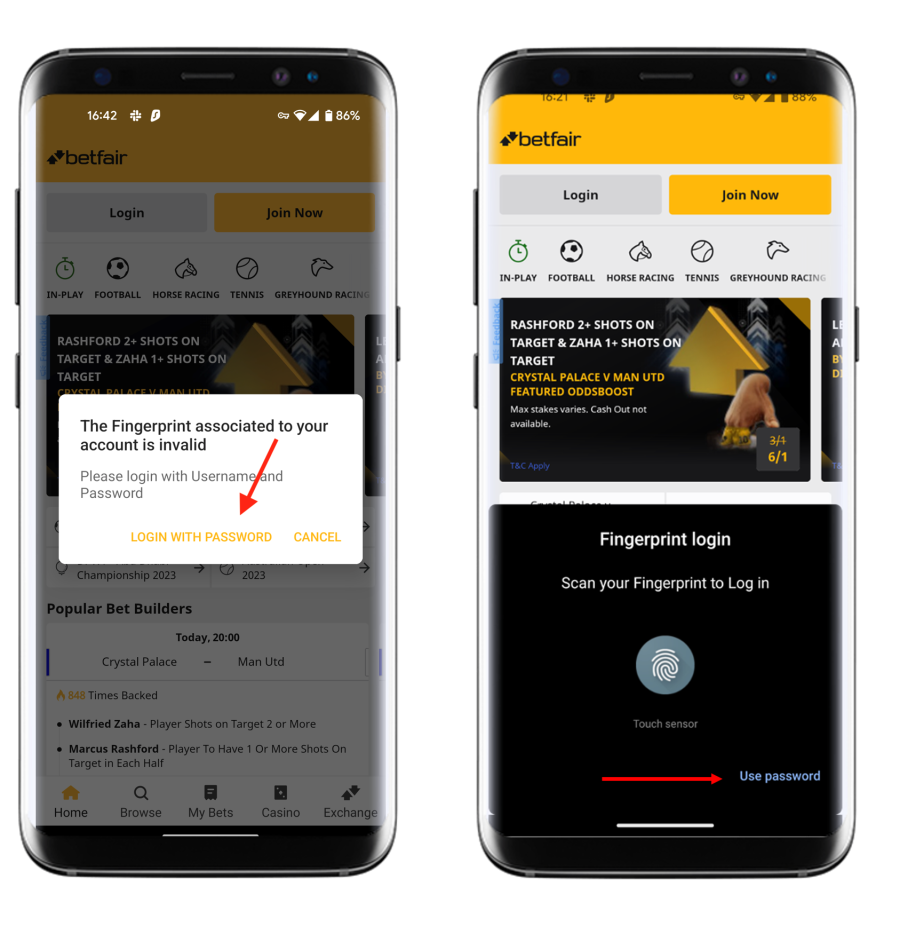
1. Select Login with password on error message or Select Login with password on Fingerprint login
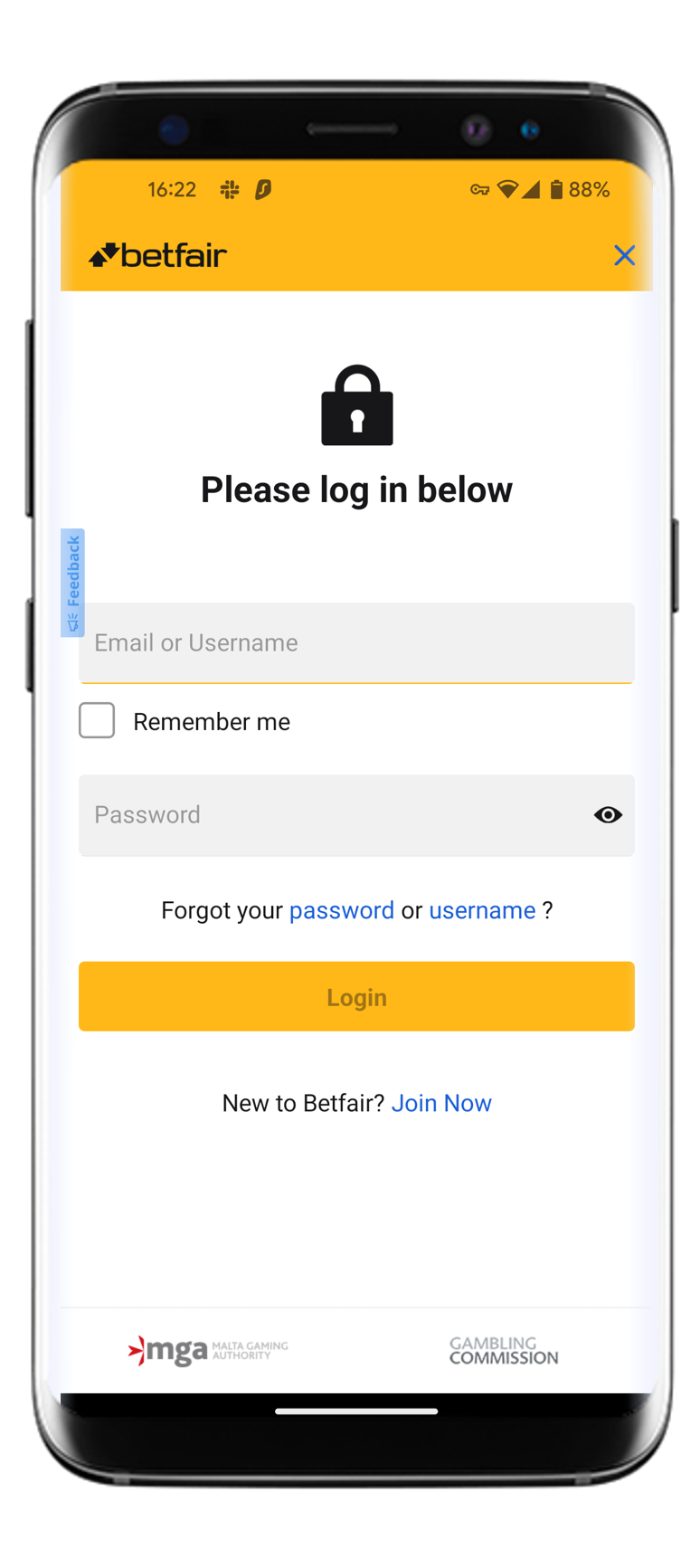
2. Insert username & password
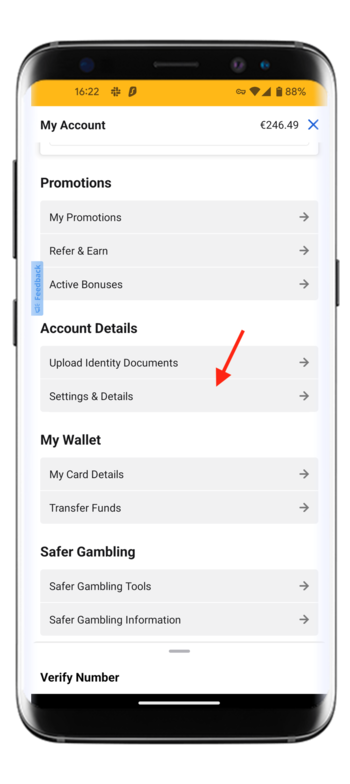
3. Head to My Account in your Betfair app

4. Select Setting & Details with Account Detail
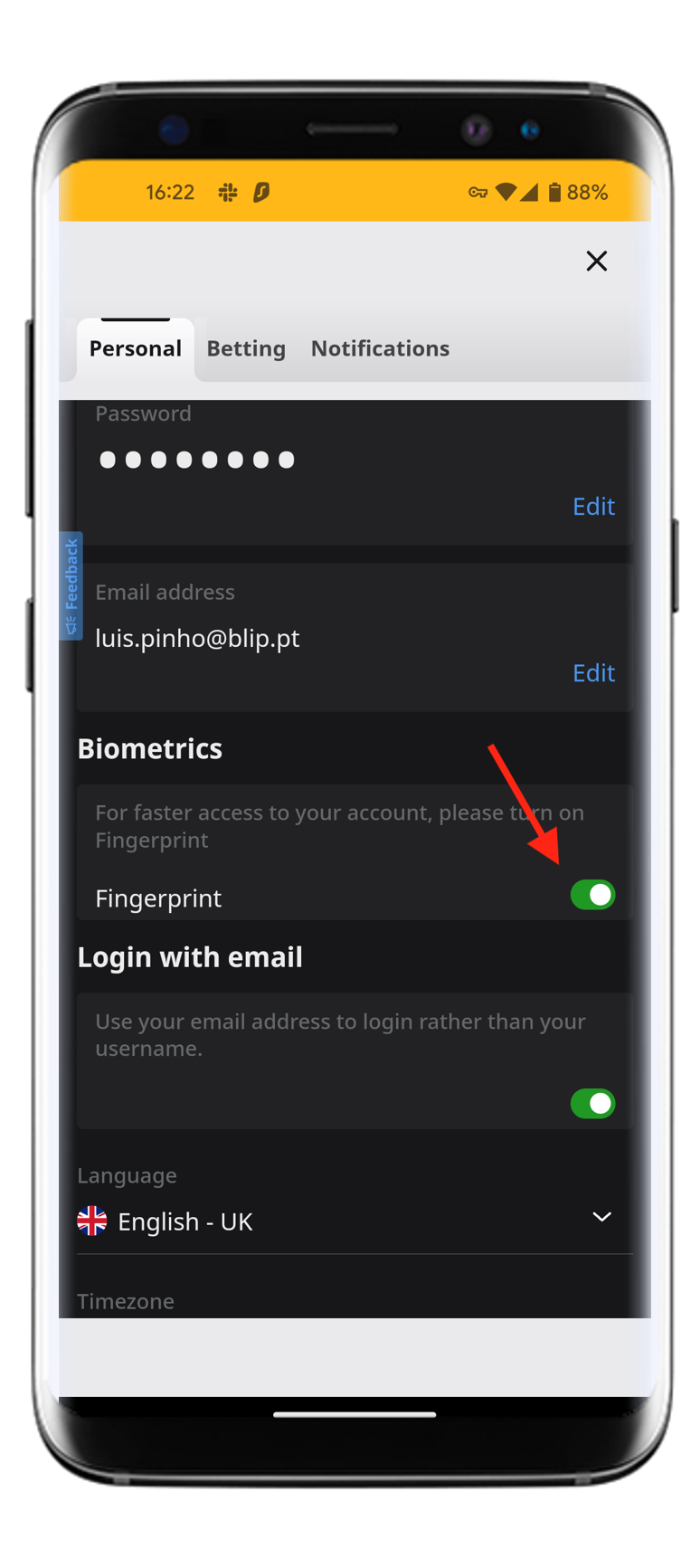
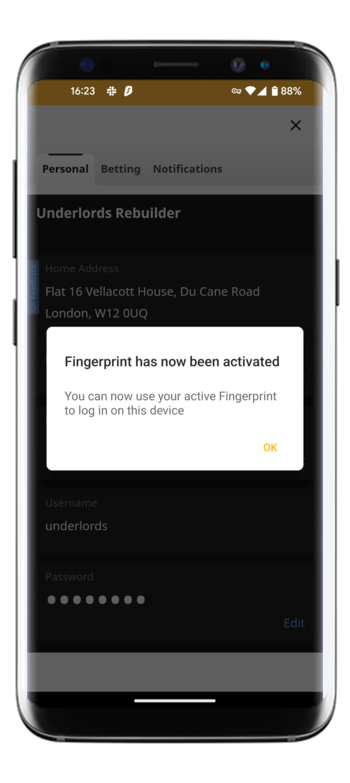
 5. Toggle off and on Fingerprint
6. Refresh the page and you will be able to log in
 If you continue to experience issues please contact Betfair customer services on our live chat here https://support.betfair.com/app/home or on Twitter at https://twitter.com/BetfairCS
Prices quoted in copy are correct at time of publication but liable to change.